How to use AquaClean to clean your AEG oven
Resolution
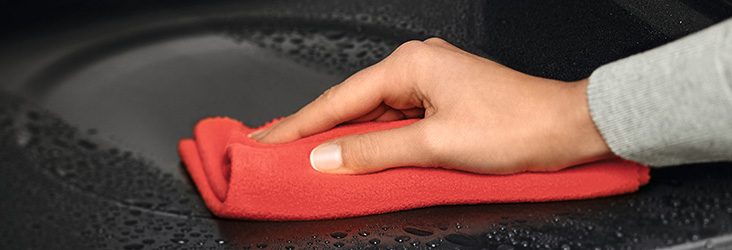
AquaClean is a practical oven function that will take the grit out of maintaining a clean oven. It pre-treats food spills and splatters to make it easier to remove even stubborn residues. AquaClean is available on selected AEG models.
Different AEG oven models may contain different cleaning functions to facilitate the cleaning task. Refer to your oven manual to explore which functions you have to make cleaning your oven easier.
What is AquaClean and why should you use it?
AquaClean uses steam to help remove residual grease and food particles from the oven surface. Simply pour water into the bottom of the oven and run a specific cooking cycle (not a cleaning one) to generate steam and pre-treat food residue. This makes it easier to wipe the oven clean once it has cooled down.
How to use AquaClean
- Pour 200 ml of water directly into the designated area on the oven floor
Note: Not into the water container, if your oven model has one. - Select the TrueFan setting
 If your product has the SteamBake button, a dedicated button on the control panel with a steam icon, please also press this one
  .
. - Set the temperature to 90°C.
- Let the oven work for 30 minutes.
- Turn off the oven and let it cool down.
- When the oven is cold, wipe the interior surfaces of the oven with a soft cloth.
For more information about your specific oven model, check the user manual. You can
Now that you have learned everything there is to know about using AquaClean, you may want to learn more about keeping your oven clean.
Click here for an overview of cleaning and maintaining your oven.
Was this article helpful?
Related Articles
- How to set a cooker timer (duration) / minute minder
- How to bake restaurant-quality pizza with AEG's PizzaExpert function
- How to clean your AEG oven and PizzaExpert accessories
- Oven displays SAFE or padlock symbol
- Electric grill - open door grilling
- Grill pan handle requests
- How to use the Steam Cleaning function on your AEG steam oven
- How to Set the Oven Clock
- Oven clock flashes or displays "0:00" - AEG
- Oven display shows PYR
Spare parts & Accessories
Find original spare parts for your appliance in our webshop and have them delivered directly to your door.
Related Articles
- How to set a cooker timer (duration) / minute minder
- How to bake restaurant-quality pizza with AEG's PizzaExpert function
- How to clean your AEG oven and PizzaExpert accessories
- Oven displays SAFE or padlock symbol
- Electric grill - open door grilling
- Grill pan handle requests
- How to use the Steam Cleaning function on your AEG steam oven
- How to Set the Oven Clock
- Oven clock flashes or displays "0:00" - AEG
- Oven display shows PYR