Washing machine displays padlock - AEG
Issue
- A padlock symbol has appeared on the display and the appliance won't function
- How to deactivate Child Lock in my AEG washing machine?
- The Child Lock has been activated making the washing machine appear unresponsive
- Child safety lock turning ON and OFF
- The washing machine won't start the programme and displays only a padlock icon
Applies to:
- AEG Washing Machines
- AEG Washer Dryers
Resolution
A padlock being displayed is to highlight that the ''Child Lock'' function has been activated. With this option, you can prevent children from playing with the control panel and interrupting the wash cycle.

When the child lock is engaged it will stop you from performing any action (except for the button On/Off).
The description of the button(s) may vary depending on the model of the appliance, but they will always be indicated on the control panel by the padlock symbol.
How to activate/deactivate Child Lock - Video Guide
How to activate/deactivate Child Lock - examples
For new AEG range
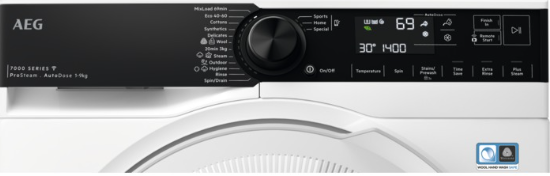
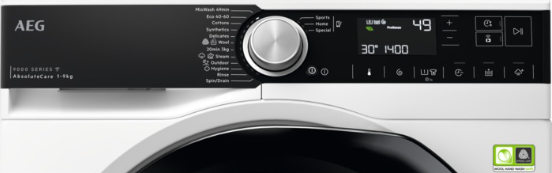
To activate/deactivate Child Lock option, hold down the Stains/Prewash button until padlock icon comes on/goes off on the display.
The appliance will default to this option after you switch it off.
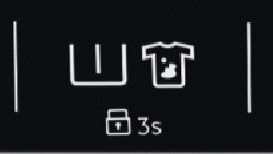
The Child Lock function may not be available for a few seconds after switching the appliance on.
For AEG series 7000,8000,9000
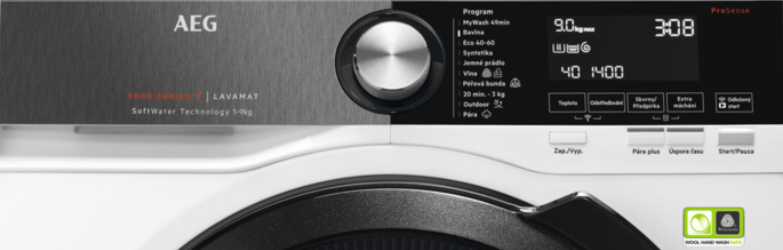
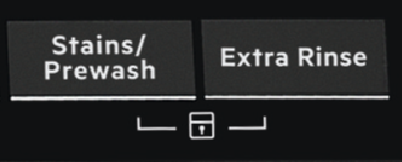
To deactivate this option, press and hold the Stains/Prewash and the Extra Rinse buttons for 5 seconds until the padlock no longer displays on the LED display.
To activate this option, press and hold the Stains/Prewash and the Extra Rinse buttons for 5 seconds until the padlock appears on the LED display.
For AEG series 6000
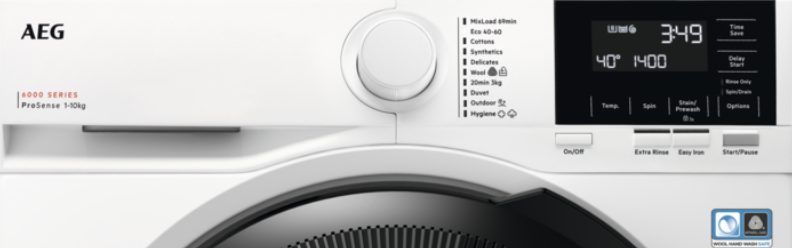
With the CHILD LOCK option, you can prevent children from playing with the control panel.
To activate/deactivate this option, touch the Stain/Prewash button until the PADLOCK indicator comes on/goes off on the display.
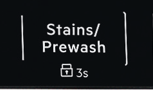
You can activate this option:
After you touch the Start/Pause button: all the buttons and the programme dial are deactivated (except the On/Off button ).
Before you touch the Start/Pause button: the appliance cannot start. The appliance keeps the selection of this option after you switch it off.
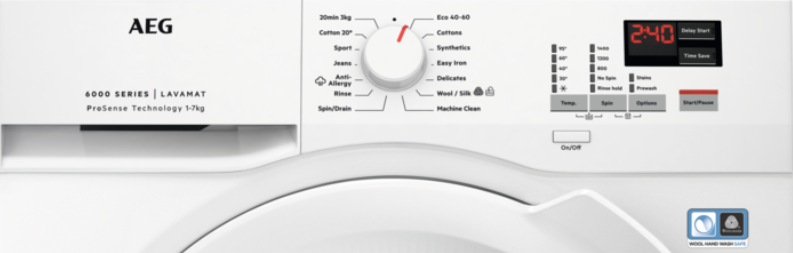
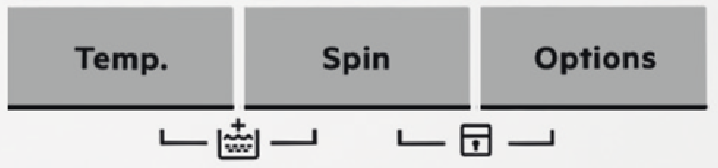
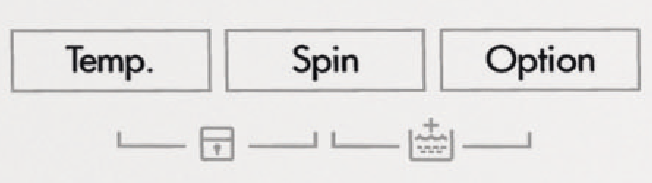
To deactivate press and hold Options and Spin for 5 seconds until the padlock no longer displays on the LED display.
To activate press and hold Options and Spin for 5 seconds until the padlock appears on the LED display.
For AEG older models
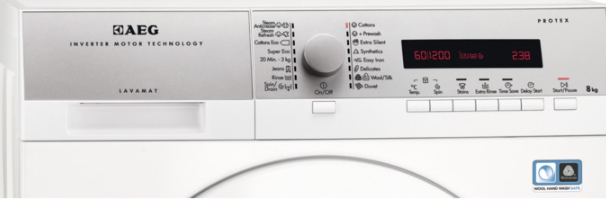
To activate/deactivate this option, press Temp. and Spin simultaneously until the padlock indicator comes on / goes off.
You can activate this option:
After you press Start/Pause: the options and the programme knob are locked.
Before you press Start/Pause: the appliance cannot start.
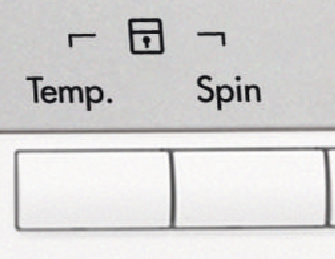
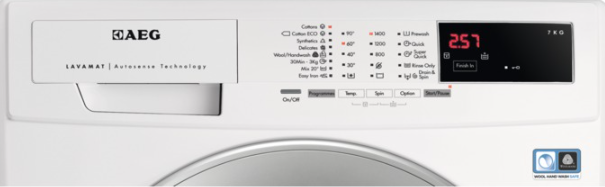
To activate/deactivate this option, press Temp. and Spin at the same time until the padlock indicator comes on / goes off.
Activate this option after you touch the button Start/Pause: the buttons are locked (except for the button On/Off).
For Built-in AEG washing machines
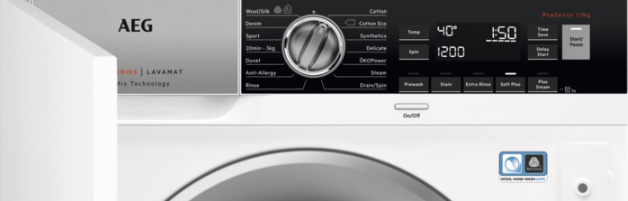
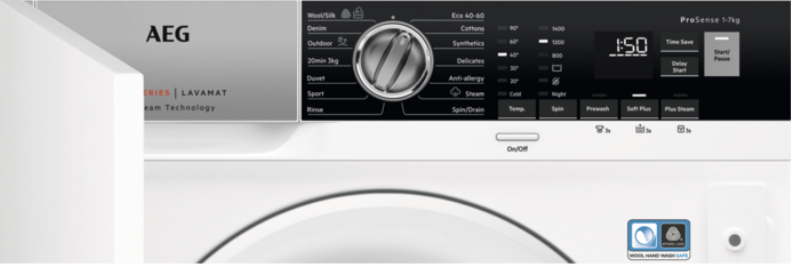
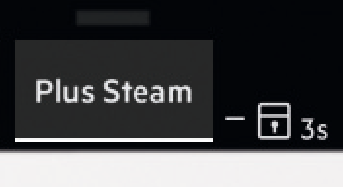
To deactivate press and hold Plus Steam for 3 seconds until the padlock no longer displays on the LED display.
To activate press and hold Plus Steam for 3 seconds until the padlock appears on the LED display.
HINTS/TIPS
If the parental lock does not clear, reset the appliance to its factory settings.
This function restores the washing machine's factory default settings.
This procedure is described in the user manual for your washing machine. If it is not described there, proceed to the next step (disconnecting from the power source).
Disconnect the appliance from the power supply for about 5-10 mins before trying again.
For appliances with a programme button, you can usually remove the child lock as soon as the appliance has been powered on.
For appliances with a programme dial, you may need to unlock this on the last used programme or cycle through each programme, attempting to remove the child lock.
Usually, the child lock buttons will be highlighted on the control panel. If these aren't present, then please refer to your user manual.
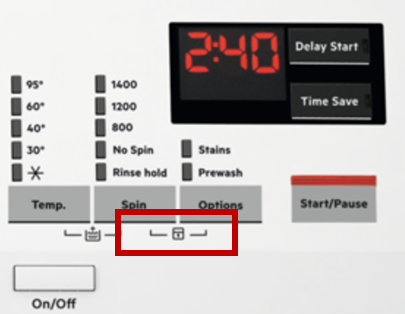
A service visit would be recommended if you are still experiencing issues.
Was this article helpful?
Related Articles
- The washing cycle is shorter / longer than indicated on the display
- Grey marks on laundry after washing in washing machine
- Laundry “lifehacks” for cleaning clothes during a pandemic
- Fabric conditioner runs directly down into the washing machine's drum
- The door of the washing machine cannot be opened
- Washing machine displays error message E10, E11, C1 or emits 1 beep / 1 flash
- Connected appliances - The application cannot connect to the appliance
- Washing machine emits humming / pumping noise
- Washing machine does not work / does not react
- Washing machine displays error message C9 or F9
Spare parts & Accessories
Find original spare parts for your appliance in our webshop and have them delivered directly to your door.
Related Articles
- The washing cycle is shorter / longer than indicated on the display
- Grey marks on laundry after washing in washing machine
- Laundry “lifehacks” for cleaning clothes during a pandemic
- Fabric conditioner runs directly down into the washing machine's drum
- The door of the washing machine cannot be opened
- Washing machine displays error message E10, E11, C1 or emits 1 beep / 1 flash
- Connected appliances - The application cannot connect to the appliance
- Washing machine emits humming / pumping noise
- Washing machine does not work / does not react
- Washing machine displays error message C9 or F9